
SEO Tips and Tricks You Almost ALWAYS Forget About

Entering the world of SEO can be like opening up Pandora’s box – there’s a lot of super useful information out there. But with information overload, it’s not hard to lose sight of some of the best (and easiest) ways to increase your blog’s traffic. So, here are 5 of the SEO tips and tricks that you may have forgotten about in your blogging endeavors.
RELATED: SEO Writing Tips For Bloggers and Business Owners
5 SEO Tips and Tricks To Increase Your Blog’s Traffic
Don’t let technical language fool you. SEO is pretty straightforward, so becoming a pro is probably easier than you think! But, you may have to channel your inner zen because finding what works for your business’s website will take a bit of trial and error.
There is always a good place to start, though. I’ve narrowed down the immense amount of information to the stuff that really matters.
If you do anything, implement these five tips for SEO today, and you’re sure to see a jump in your web traffic.
RELATED: 5 Free Resources I Use For My Small Business
#1: Edit Your URL with Keywords
Did you know that you can change your blog’s URL? Yup! In fact, you should change it.
Your URL (also known as the “slug” ) is the website address you’ll see in the internet search bar at the top of any given blog or website. If you look at the top of your screen right now, you should see the URL I created for this page: https://www.yourcreativecontent.com/blog/seo-tip-and-tricks
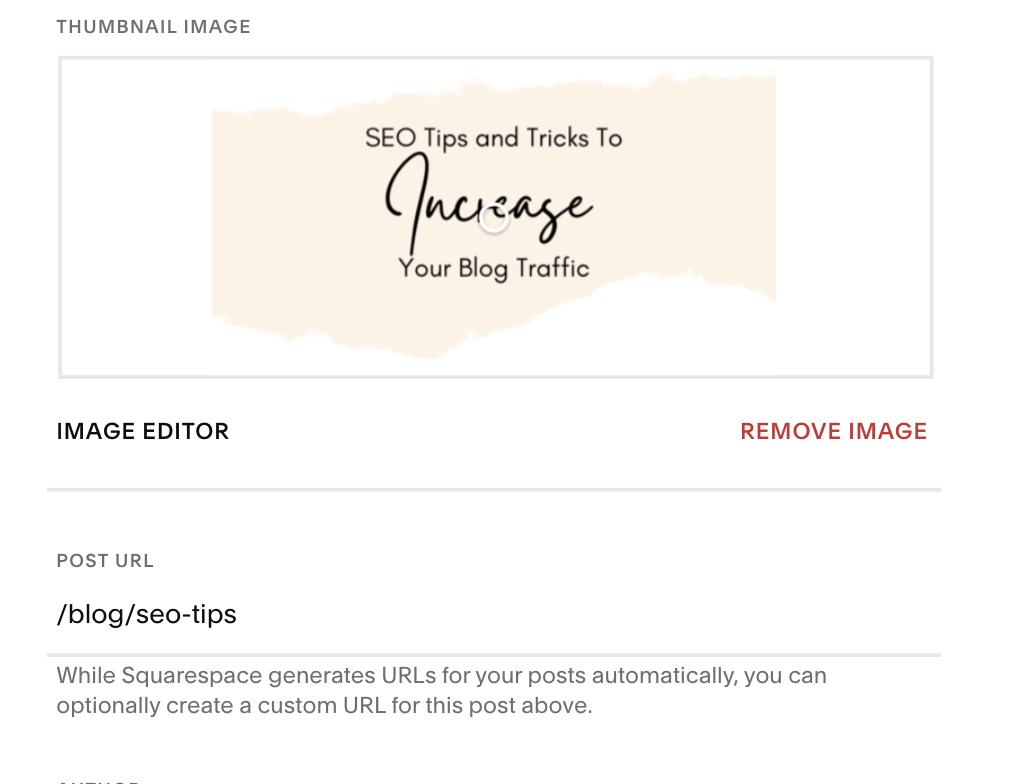
Out of all of my SEO tips and tricks, this one is probably the easiest step, but it really boosts your blog's SEO score. All you have to do is enter a forward slash after your website’s main web address, then type in your keyword.
That’s it.
Make sure to use hyphens in between your keyword when including it in your URL. Google doesn’t like spaces or underscores in web addresses. And if one thing is certain, it’s that Google makes all the rules around here.
Another way to get the most out of your URL is to avoid using stop words as much as possible. This includes words such as ‘the,’ ‘and,’ ‘for,’ etc. Stop words only create more work for Google when crawling your blog and could keep your content from being in the top search results.
RELATED: SEO Blogs For Small Business Owners
#2: SEO Tips and Tricks For Social Media
Your blog's search engine ranking relies heavily on how many people are actually reading your content.
Hopefully, this comes as no surprise.
If you’re wondering how you can grow your audience outside of SEO, the answer is literally in the palm of your hand.
Social media provides the perfect space for free and engaging ways to promote your blogs. Platforms like Facebook, YouTube, Instagram, and Twitter have millions of eyes on them every single day. If you haven’t already, it’s time that you tap into your full follower potential.
Here is the secret sauce to increasing your blog’s SEO ranking with social media:
. Include a link to your blog in all of your social media bios.
Mention your blog 3-7 times on your platform of choice. For example, you can mention a single blog in 1 feed post, 1 Instagram Story, and maybe create a Reel that breaks down the basics of a particular blog (repurposing ftw!). You can post this all in one week, or post it sporadically that month.
PRO-TIP: If you do this for each blog post, you’ll have endless social media content ideas.
Cross-promote your blog on other social media platforms. Add it to your YouTube descriptions (and comments!) and post it in a Facebook group when applicable (don’t be spammy). You can even create an entire Twitter thread as a breakdown of your blog with a call-to-action to read the full story/tutorial on — you guessed it — your website.
#3: Update Old Blogs
RIP to those blogs you published forever ago that are now buried deep in the blog post graveyard.
But wait… what’s this?
Yes, you can bring an old blog post back to life!
I know, I know. You may be thinking: Why fix it if it’s not broken?
Well, some of those old blogs may be just the thing you need to reach the top of Google’s search results.
Don’t panic – I’m not saying you have to revamp everything. A bit of housekeeping will do the trick.
First, you’ll want to use Ubersuggest to see where your blogs are ranking in SEO. Just type in your URL > Traffic Overview. > Keywords by Traffic to see which keywords your blog ranks for. Any blogs that rank in the number 10-20 spots are full of first-page potential. You should definitely update those.
Update your blogs by adding more content, new pictures with SEO keywords (keep reading for more of those juicy SEO tips), and resharing them on social media.
Once you’ve freshened them up, republish them with a current date. Then, resubmit your updated blog to Google Search Console for a much-needed crawling.
Voilà! What’s old is new again.
RELATED: Advanced SEO Tips for Bloggers

Pin it!
#4: Blog Consistency Matters
Just like hitting the gym regularly helps you meet your fitness goals, your blog needs attention for you to reach your SEO goals.
We’re in it for the long haul, baby.
Be consistent! You should be publishing a new blog post at least once a week. Sitting down with a sizable cup of coffee and batch writing your blogs is a smart way to keep up with this.
Time for some tough love: Don’t start a blog (or hire a blog writer) if you’re not prepared to work on it long term. SEO can be an enduring process, and it takes a while to kick in— just like social media marketing!
Stick it out. I promise it's totally worth it.
RELATED: How Much Does a Social Media Manager Cost?
#5: SEO Your Images
No matter what your blog topic is or who you’re writing for, you always need to include an image. ALWAYS.
Not only do images make your content more engaging, but they can also benefit your SEO. Unfortunately, it can be easily overlooked when publishing a new blog.
Prepping your images for SEO starts with the image’s file name. Before you upload your image, change the file name to include your keyword or keyword phrase. Keep it at the beginning of the file name and separate words with hyphens – remember, Google doesn’t like spaces or underscores.
Website servers like Wordpress and Squarespace allow you to attach your keywords to images using “alt text.” Alt-text is the techy phrase for your SEO keywords that describes what the image is. It also helps text reading software to identify your images for visually impaired audiences.
You can see here how I added my SEO keyword (“SEO tips and tricks”) to the Featured Image on this page:
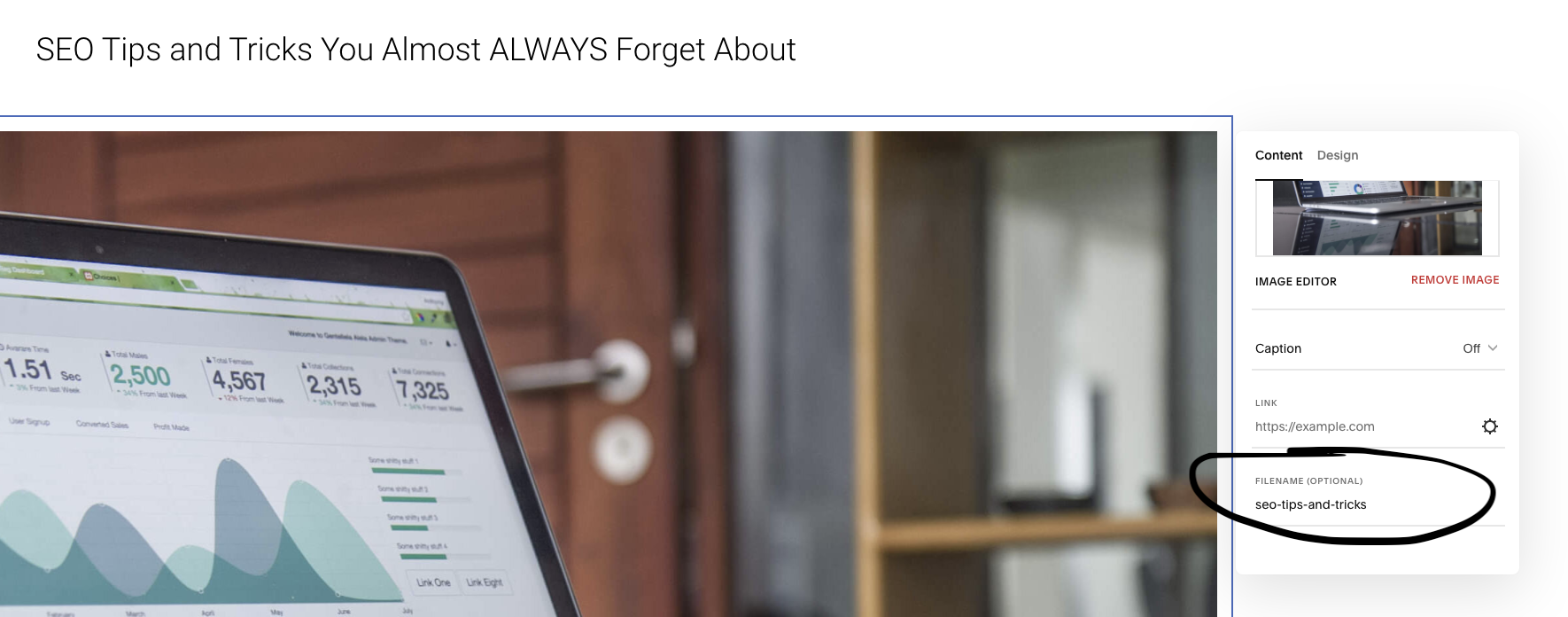
And are you ready for some inception? Even that picture above is search engine optimized.
Adding SEO to your images works really well if your keyword phrase has a low search volume. This means that your image will almost always show up on the first page of a Google-related images search!
This gives you double the chance of showing up on Google’s front page. Even if your blog link doesn’t make the cut, your images might. Maybe you wrote a blog giving a delicious recipe for a breakfast quiche. Before you get too disappointed that your blog isn’t showing up on Google yet, check the Google Image tab! You may be surprised to find your image in the top spots.
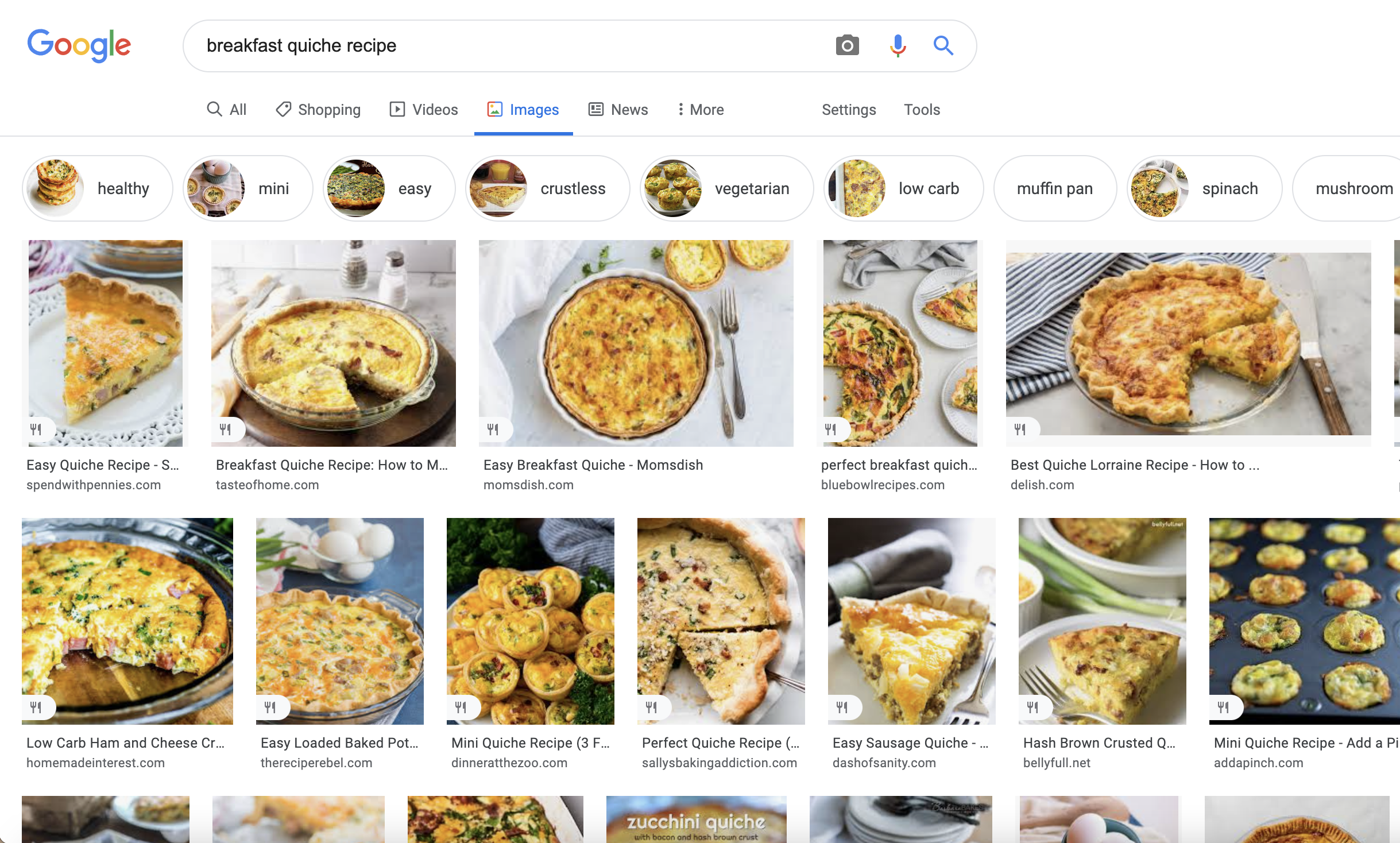
SEO Tips and Tricks: Your blog images could show up on Google under the Images tab! So make sure to use those keywords in your alt-rext!
Now, read these SEO tips and tricks again. Then one more time. Keep them in mind when you’re writing your next blog and I guarantee you’ll see a boost in your web traffic!